 Leoby Zetene
An AI that lives on your PC, not in the cloud.
Leo listens, thinks and speaks entirely on your own laptop. No account, no uploads. Your conversations never leave the machine.
Leo talks in a slim island at the top of your screen. Each word lights up as he says it.
Just say “Leo”.
You say his name
A wake word that runs on your PC. Nothing is recorded or sent while Leo waits.
He thinks, right there
Your words are transcribed and answered by a model running on your own processor. No server in between.
He answers out loud
A natural neural voice, with the words appearing on screen in step with what he says.
A companion, not a chat window.
Lives on your desktop
A quiet island at the top of the screen that grows when you talk and settles when you don't.
Priority mode
One key hides everything else and opens Leo's full-screen view: what he heard, what he's thinking and what's next.
Learns your voice
Short practice sessions train his hearing on how you actually speak, on your own PC.
Remembers what matters
Past conversations and lessons are kept in an encrypted database on your machine, so he gets better over time.
Asks before acting
A safety gate stops Leo from doing anything you didn't ask for. He can't change his own rules.
Honest when offline
Without internet he tells you what he doesn't know instead of guessing. Online, he can research and show his sources.
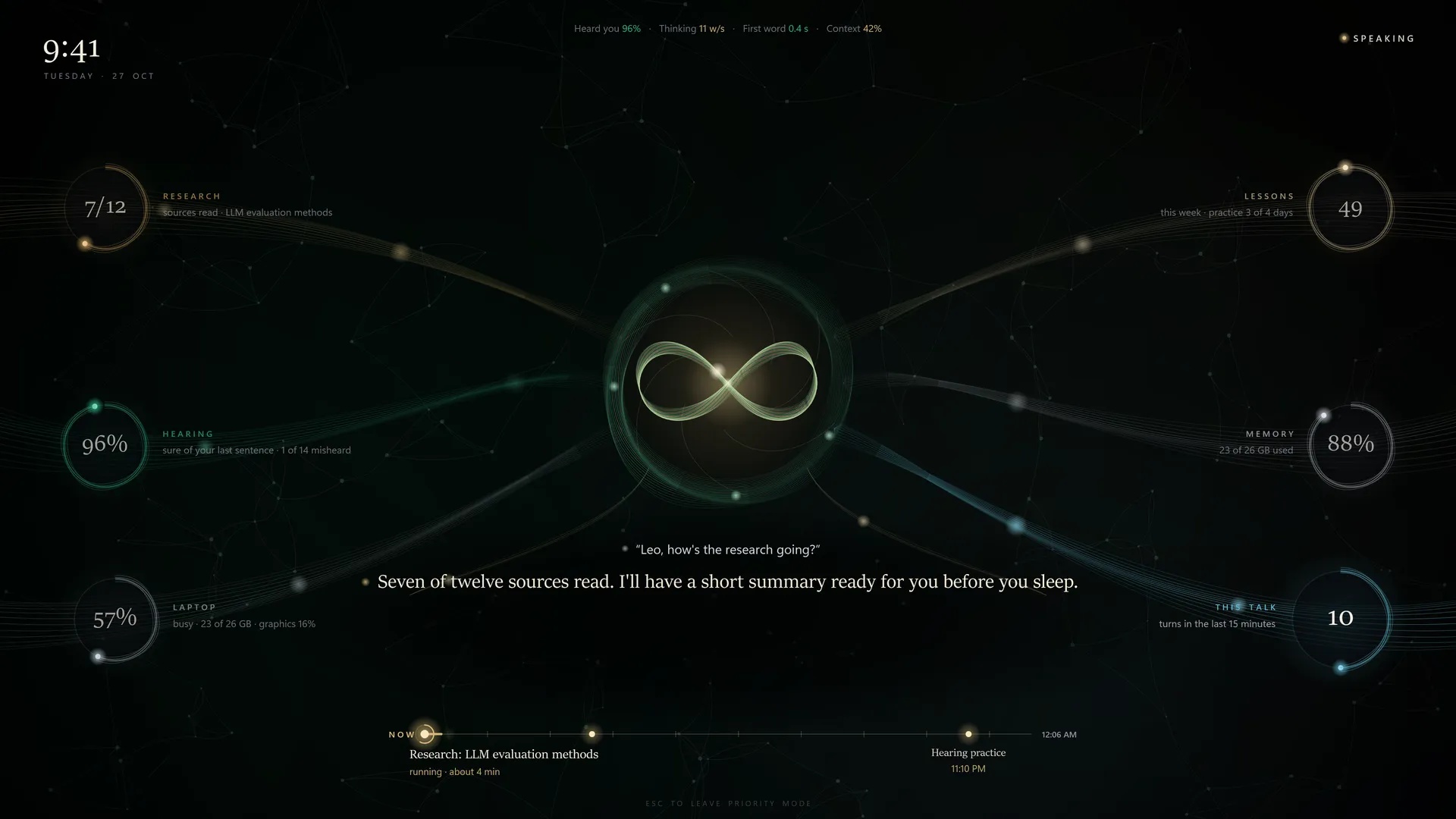
Everything else waits.
The heart in the middle breathes while Leo listens and speaks. Around it, live threads show how sure he was of your last sentence, how his research is going and what's coming up next.
Leo is in development
It's being built and tested every day on a regular Windows laptop. Leave a note and you'll hear when it's ready to try.
Good to know
Does Leo need the internet?
No. Hearing, thinking, speaking and memory all run on your PC. Internet is only used when you ask him to look something up online.
What kind of PC does it need?
Leo is being built and tested on a Windows laptop with a Ryzen 9 processor and 32 GB of memory, with no separate graphics card. Final requirements will be shared when it's ready.
Is anything sent to Zetene?
No. Leo has no account and no cloud server. What you say and what he remembers stays on your machine.
When can I try it?
There's no public download yet. Use “Tell me when it's ready” and you'll get a note when it is.
Still have a question? Send us a message